macOS · Linux · Windows

Your terminal, organized.

A desktop terminal and SSH manager with organized workspaces, built-in AI copilot, and git-based collaboration. Fully local — your data never leaves your machine.

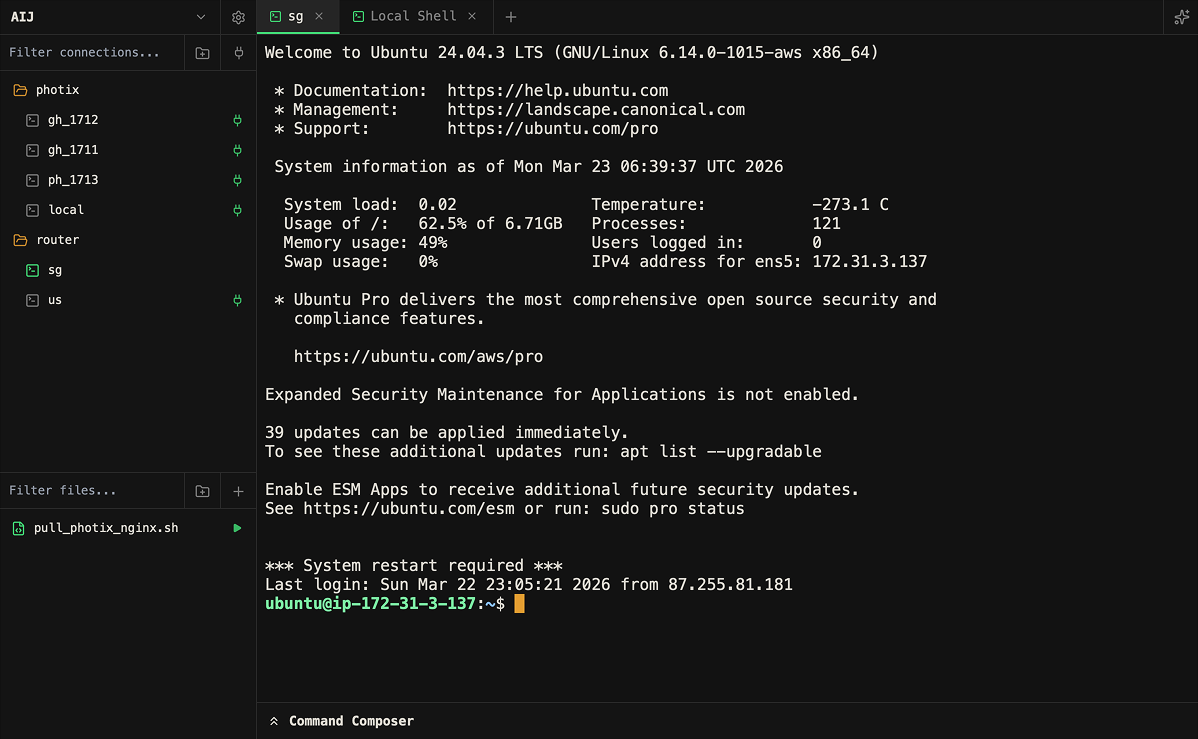
Termio
Termio app screenshot

Your data, your rules.

No cloud. No accounts. Just files on your machine.

Local-Only Data

Termio never sends your data to the cloud. No account, no login, no centralized storage. Connections, credentials, and files stay on your machine.

  • No cloud sync — zero network exposure
  • No account or login system
  • All secrets stored locally on disk

Git-Based Collaboration

Workspaces are plain text files. Share them through Git, any VCS, or simple file transfer — no proprietary sync service needed.

  • Collections stored as plain text files
  • Share via GitHub, GitLab, or self-hosted repos
  • Works with any VCS or file transfer method

Features

Everything you need to manage terminals and connections.

Organized Workspaces

Group connections into workspaces with folders and favorites. Switch contexts instantly.

Code Snippets & Scripts

Attach reusable scripts to any connection. One click to execute — no copy-pasting commands.

AI Copilot

Built-in AI assistant with terminal context, tool execution, and per-connection memory.

Command Composer

Write multi-line scripts in a full code editor, then stage or run them in the terminal.

Multi-Tiling

Split terminals horizontally and vertically. Compose any layout with draggable panes.

Drag & Drop Upload

Drop any file onto a connection to upload it. No separate SFTP client needed.

How Termio compares

See what sets Termio apart from other terminal tools.

FeatureTermioWarpTermius
Local-only data
No account required
Git-based sharing
SSH connection manager
Organized workspaces
Per-connection scripts
AI copilot
Command composer
Multi-tiling / split panes
Drag & drop file upload
Free to use

FAQ

Common questions about Termio.

Is Termio free?

Yes. Termio is completely free to use with no feature gates, usage limits, or premium tiers.

Where is my data stored?

Everything is stored locally on your machine in ~/.termio. Connections, credentials, files, and settings never leave your computer.

How do I share connections with my team?

Workspaces are plain text files. Commit them to a Git repo, share via any VCS, or simply copy the files. No proprietary sync needed.

Are my credentials secure?

Credentials are obfuscated on disk to prevent casual exposure. They never leave your machine — there is no cloud, no sync, and no third-party access.

Does the AI copilot send data externally?

The AI copilot connects to the API provider you configure (e.g. OpenAI). Terminal context is sent only when you explicitly interact with the copilot. No data is sent otherwise.

What platforms are supported?

Termio is available on macOS, Windows, and Linux.

How is Termio different from Termius?

Termius is cloud-based and requires an account with a paid subscription. Termio is local-only, free, and lets you share via Git instead of proprietary sync.

Can I use my own AI model?

Yes. Termio works with any OpenAI-compatible API. Point it to your own endpoint, a local model, or any compatible provider.
What users say

Feedback from developers using Termio.

Finally a terminal manager that doesn't want my data in the cloud. I switched from Termius and never looked back.

A
Alex K.
DevOps Engineer

The command composer alone saves me 20 minutes a day. Writing multi-line scripts and staging them in one click is a game changer.

M
Maria S.
Backend Developer

I manage 40+ servers and Termio's workspace organization keeps everything sane. Plus sharing configs via Git with my team just works.

J
James L.
SRE Lead

Ready to try Termio?

Download for your platform and get started in seconds.